
Introduction
Creating a professional website has never been easier. Years ago, building a website required learning HTML, CSS, JavaScript, or hiring an expensive developer. Today, beginners can create beautiful, responsive, and fully functional websites without writing a single line of code.
Whether you’re starting a small business, launching a portfolio, opening an online store, or creating a personal blog, choosing the right website builder can save you time, money, and frustration.
In this guide, we’ll compare the best website builders for beginners, their strengths, weaknesses, pricing, and which type of user they’re best suited for.
Why Choose a Website Builder?
A website builder provides everything you need in one place:
- Drag-and-drop editing
- Professional templates
- Mobile-responsive designs
- Web hosting
- SSL security
- Built-in SEO tools
- Contact forms
- Blogging features
- E-commerce capabilities
Instead of spending weeks learning to code, you can build your website in just a few hours.
1. WordPress + Elementor (Best Overall)
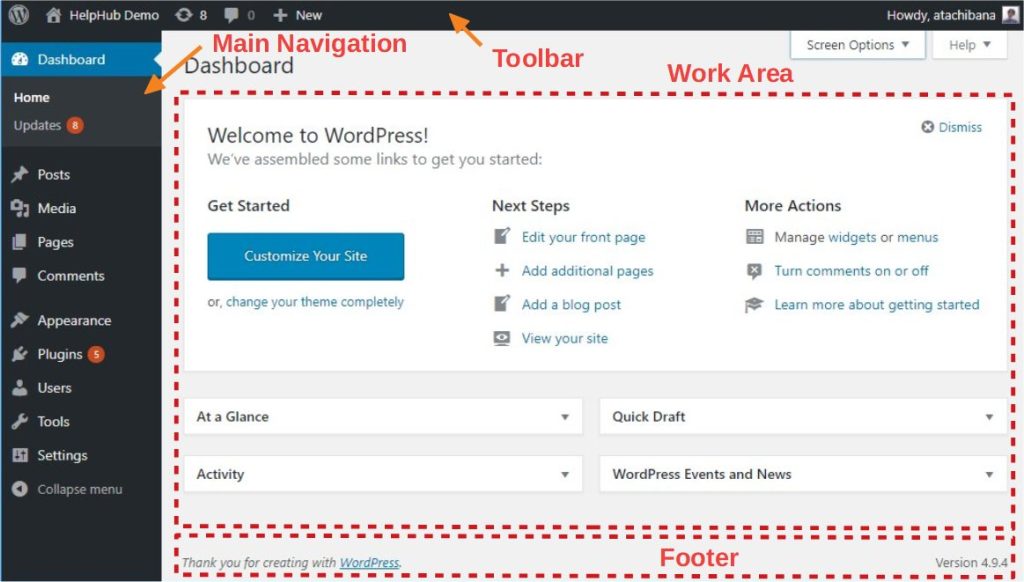
If you’re serious about growing your business, WordPress combined with Elementor is one of the most powerful options available.
Unlike many closed website builders, WordPress gives you complete ownership of your website while Elementor makes designing pages incredibly easy using drag-and-drop editing.
Best For
- Small businesses
- Service providers
- Agencies
- Bloggers
- Portfolio websites
- Businesses planning long-term growth
Pros
- Extremely flexible
- Thousands of themes and plugins
- Excellent SEO capabilities
- Scalable
- Full ownership of your website
- Large community support
Cons
- Slight learning curve
- Requires separate hosting
Beginner Rating
⭐⭐⭐⭐⭐ (5/5)
2. Wix
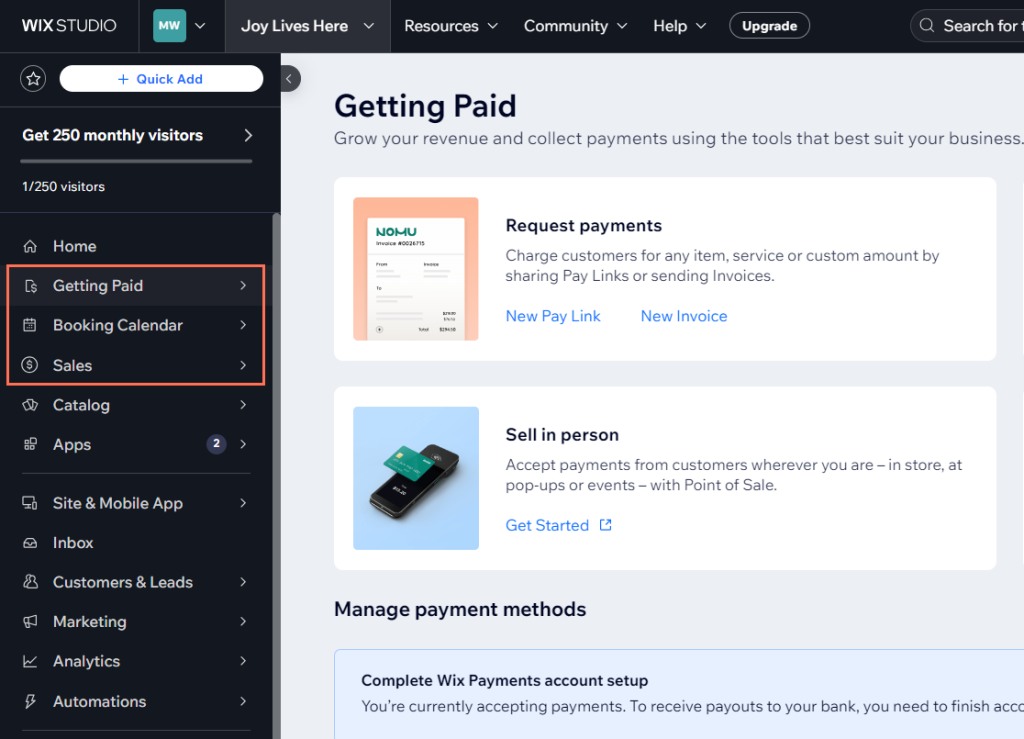
Wix is one of the easiest website builders available. It is perfect for beginners who want to launch a website quickly.
The drag-and-drop editor lets users move elements anywhere on the page without technical knowledge.
Best For
- Personal websites
- Freelancers
- Restaurants
- Local businesses
- Small online stores
Pros
- Very beginner-friendly
- Hundreds of templates
- Built-in hosting
- Easy customization
- App marketplace
Cons
- Limited flexibility compared to WordPress
- Difficult to migrate away later
Beginner Rating
⭐⭐⭐⭐⭐
3. Squarespace
Squarespace is known for beautiful, modern templates that look professional without much customization.
It is particularly popular among photographers, designers, artists, and creative professionals.

Best For
- Creative portfolios
- Photography
- Agencies
- Personal brands
- Bloggers
Pros
- Stunning templates
- Easy editing
- Good blogging tools
- Reliable hosting
- Built-in analytics
Cons
- Less customization than WordPress
- Premium pricing
Beginner Rating
⭐⭐⭐⭐☆
4. Shopify
If your primary goal is selling products online, Shopify is one of the best choices.
Everything is designed around e-commerce.

Best For
- Online stores
- Fashion brands
- Beauty products
- Electronics
- Dropshipping
Pros
- Easy product management
- Secure checkout
- Inventory management
- Marketing integrations
- Excellent customer support
Cons
- Monthly subscription
- Transaction fees on some plans
Beginner Rating
⭐⭐⭐⭐⭐
5. Hostinger Website Builder
Hostinger has become popular because it offers an affordable AI-powered website builder.
Users can generate a complete website within minutes using artificial intelligence.
Best For
- Beginners
- Small businesses
- Freelancers
- Landing pages
Pros
- Affordable pricing
- AI website generation
- Fast hosting
- Mobile responsive
- Built-in SEO features
Cons
- Limited advanced customization
Beginner Rating
⭐⭐⭐⭐☆
6. Webflow
Although Webflow is considered beginner-friendly, it offers far more design freedom than most website builders.
It is ideal for users who want professional-looking websites without traditional coding.
Best For
- Designers
- Agencies
- Freelancers
- Startup companies
Pros
- Highly customizable
- Clean code output
- Excellent animations
- Professional designs
Cons
- Steeper learning curve
Beginner Rating
⭐⭐⭐☆☆
Comparison Table
| Website Builder | Ease of Use | SEO | E-commerce | Best For |
|---|---|---|---|---|
| WordPress + Elementor | ⭐⭐⭐⭐☆ | ⭐⭐⭐⭐⭐ | ⭐⭐⭐⭐⭐ | Business websites |
| Wix | ⭐⭐⭐⭐⭐ | ⭐⭐⭐⭐☆ | ⭐⭐⭐⭐☆ | Beginners |
| Squarespace | ⭐⭐⭐⭐☆ | ⭐⭐⭐⭐☆ | ⭐⭐⭐⭐☆ | Creatives |
| Shopify | ⭐⭐⭐⭐☆ | ⭐⭐⭐⭐☆ | ⭐⭐⭐⭐⭐ | Online stores |
| Hostinger | ⭐⭐⭐⭐⭐ | ⭐⭐⭐⭐☆ | ⭐⭐⭐☆☆ | Budget users |
| Webflow | ⭐⭐⭐☆☆ | ⭐⭐⭐⭐⭐ | ⭐⭐⭐⭐☆ | Designers |
Which Website Builder Is Best for SEO?
If ranking on search engines like Google is your goal, not every website builder performs equally.
The strongest SEO options include:
- WordPress with Elementor
- Webflow
- Shopify
- Wix
These platforms allow you to customize:
- Meta titles
- Meta descriptions
- Image alt text
- URL structures
- XML sitemaps
- Schema markup
- Internal linking
- Redirects
Strong SEO features help your website appear higher in search results and attract more visitors.
How to Choose the Right Website Builder
Before making a decision, ask yourself these questions:
Do you need an online store?
Choose Shopify or WordPress with WooCommerce.
Do you want the easiest setup?
Choose Wix or Hostinger.
Do you want complete control?
Choose WordPress with Elementor.
Are you building a creative portfolio?
Squarespace or Webflow are excellent choices.
Do you plan to scale your business?
WordPress is usually the smartest long-term investment because it grows with your business.
Tips for Building Your First Website
To create a website that performs well, keep these best practices in mind:
- Choose a clean, mobile-friendly design.
- Keep navigation simple.
- Use high-quality images.
- Write helpful, original content.
- Optimize every page for SEO.
- Add clear calls to action.
- Include contact information on every page.
- Install an SSL certificate.
- Improve page speed.
- Connect your website to Google Analytics and Google Search Console.
Frequently Asked Questions
Can I build a website without coding?
Yes. Modern website builders use drag-and-drop editors, allowing anyone to create professional websites without coding skills.
Which website builder is the easiest?
Wix and Hostinger Website Builder are among the easiest options for complete beginners.
Is WordPress difficult to learn?
Not anymore. With Elementor, most website design tasks can be completed visually, making WordPress beginner-friendly while still offering advanced capabilities.
Which builder is best for small businesses?
WordPress with Elementor is one of the best choices because it combines flexibility, scalability, and excellent SEO performance.
How much does it cost to build a website?
Costs vary depending on the platform, but beginners can expect to spend anywhere from $5 to $50 per month, depending on hosting, themes, plugins, and premium features.
Final Thoughts
The best website builder depends on your goals, budget, and future plans.
If you want the easiest solution, Wix or Hostinger Website Builder are excellent choices.
If you’re launching an online store, Shopify is built specifically for e-commerce.
For creative professionals, Squarespace offers stunning designs with minimal effort.
However, if you want a website that is scalable, SEO-friendly, and fully customizable, WordPress with Elementor remains the best overall choice. It provides the flexibility to grow your website alongside your business while giving you complete ownership of your content and design.
Investing in the right website builder today can save you time, reduce costs, and help establish a strong online presence for years to come.
About Boomtech-22 Graphics
At Boomtech-22 Graphics, we help businesses build modern, high-performing websites that are optimized for search engines, user experience, and conversions. Whether you need a business website, portfolio, e-commerce store, or SEO services, our team is committed to helping your brand grow online.
Ready to launch your website? Contact Boomtech-22 Graphics today for a free consultation, and let’s build a website that works for your business.